Data Query: Word Frequency Count Query
Word Frequency Count Query
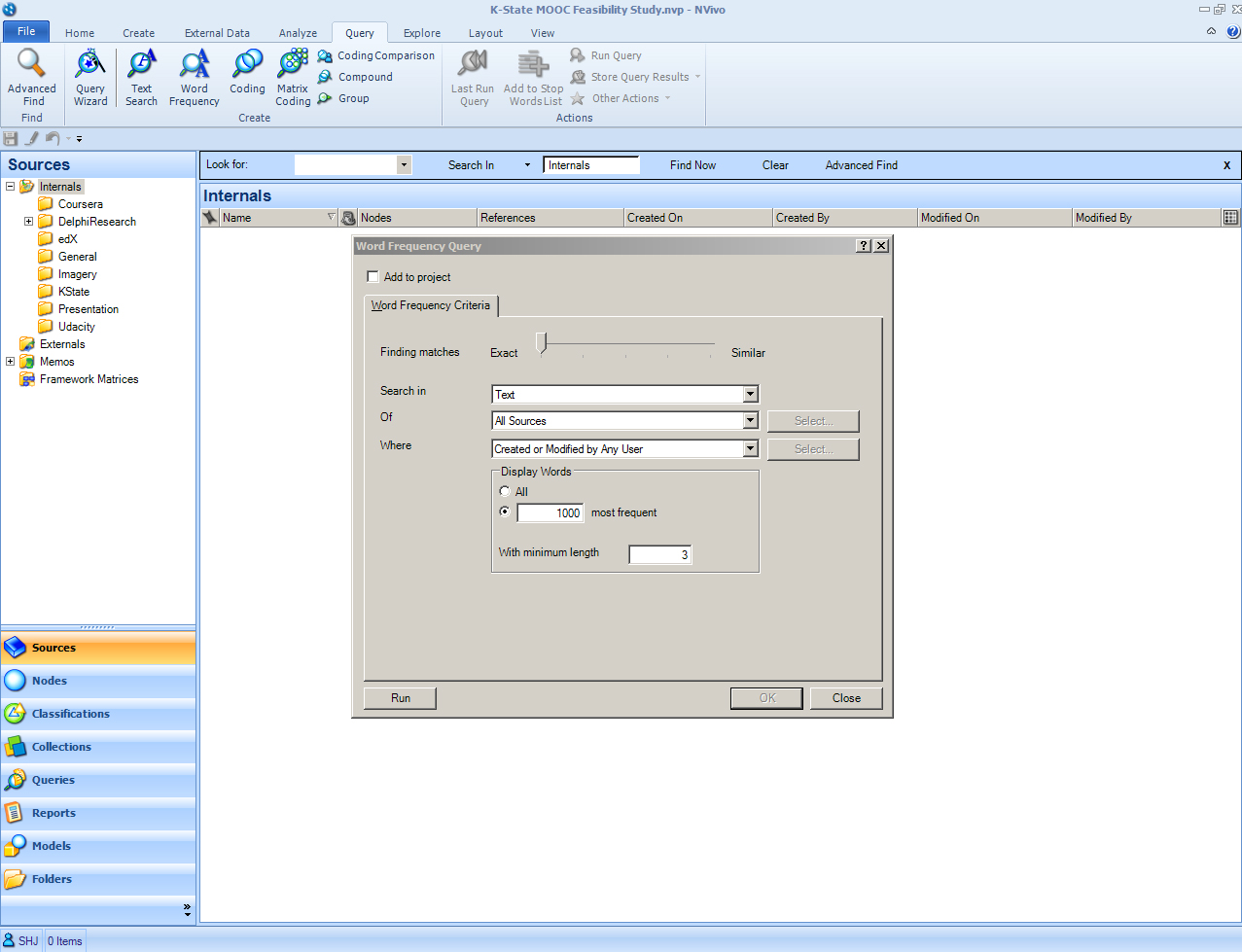
A word frequency count provides researchers with an overall sense of the most common semantic-based words in a data set, document, text corpus, or research set (or some mix of the data). Users may decide whether to display all words or the 1000 most frequent or some subset of that. Words that are identified are usually at least 3 characters in length minimum. There is a built-in stop-words or delete-words list which disallows the inclusion of common syntax-based words. The user has to select what will be searched (Text, Annotations, or Text and Annotations). He or she has to define where the data should come from: All Sources, Selected Items, or Items in Selected Folders. The query may be limited to the items handled by a particular researcher (user). Once the desired parameters are set, click “Run” at the bottom left. The status or process bar at the bottom left will show the progress.
When the run is completed, the summary data is shown as a table. The researcher may go through the list and add more words to the stop words list by right clicking on a particular word and clicking on “Add to Stop Words List”. Click OK. Or, a researcher may select a list of words to “stop” and click OK.
Once this is done, the text frequency query has to be re-run in order to apply the new stop words list to the data set. To achieve this, the researcher has to start again at the ribbon
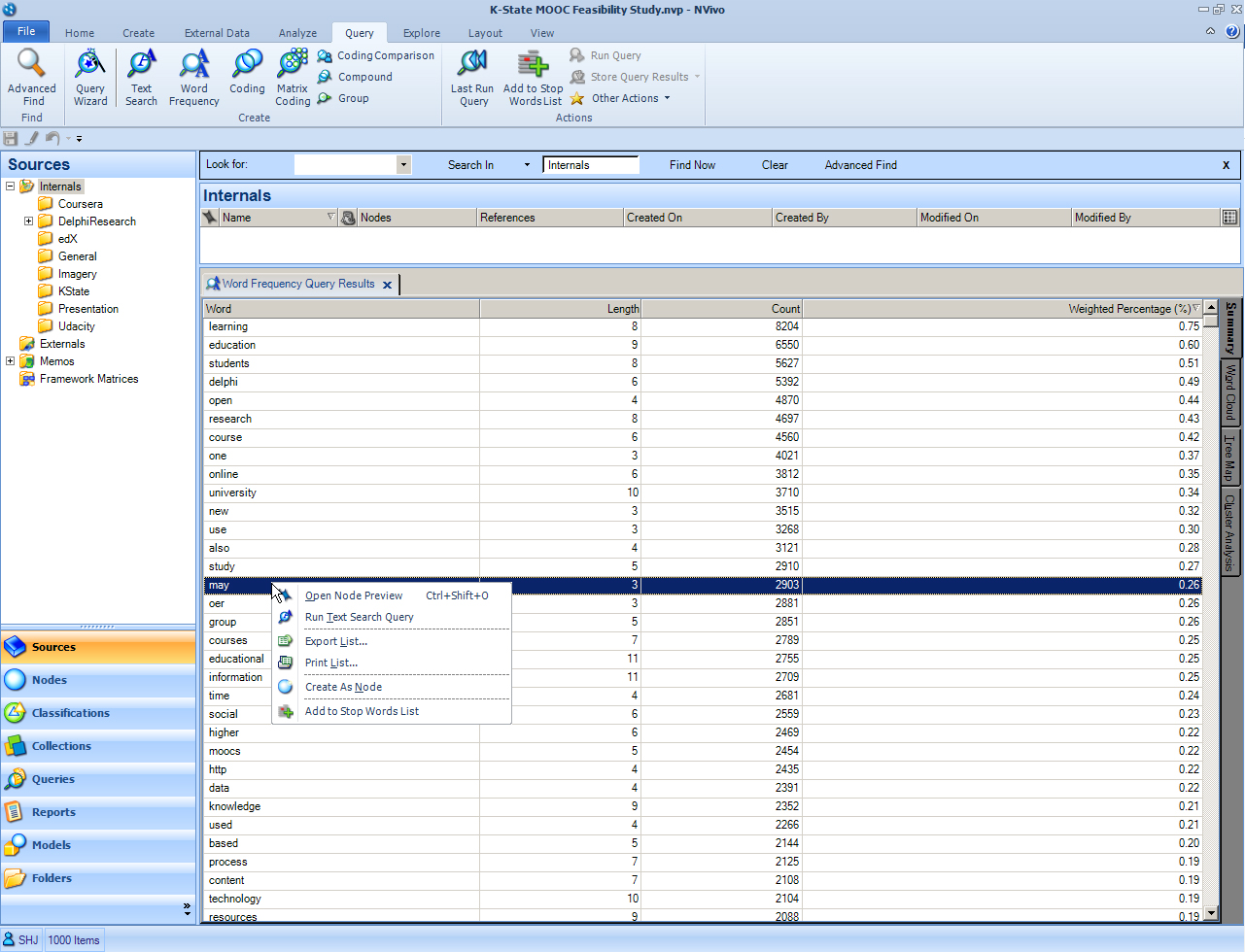
At this point, click “Run” again. The resulting table will be listed in descending order with the most popular words at the top and the least-used ones on the bottom. At the far right column is the weighted percentage in terms of numbers of occurrences of that word in the set.
A Default Stopwords List
NVivo has brief stopwords lists for its main interface languages: English (US), English (UK), simplified Chinese, Japanese, French, German, Portuguese, and Spanish. Any of the terms may be removed by the researcher; further, any new terms may be added to the stopwords lists during the query process.
To view the stopwords list, take the following path:
File -> Info -> Project Properties -> General tab -> Stop Words button.
Word Frequency Count Visualizations
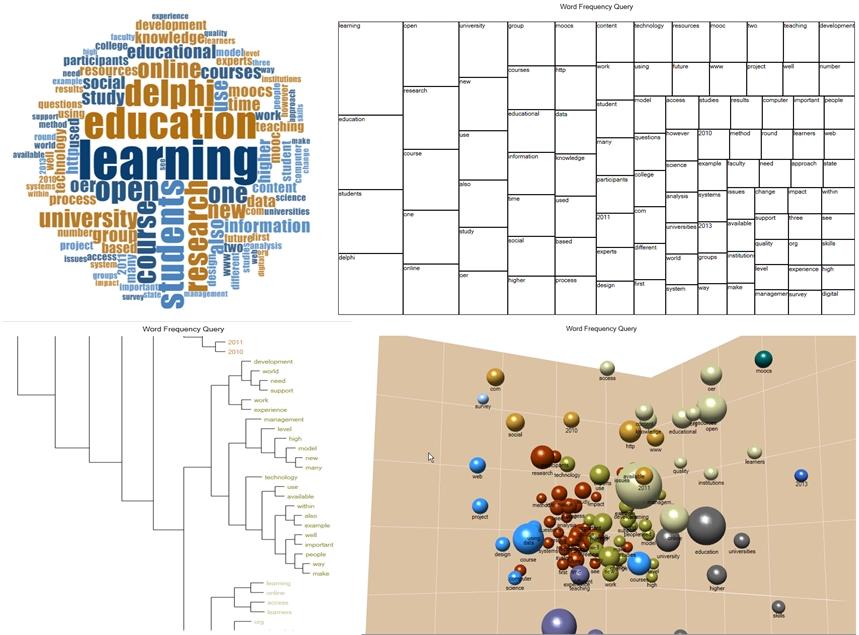
Various data visualizations are available at the far right. The data may be turned into word clouds, tree maps, or cluster analyses.
| Previous page on path | Conducting Data Queries... (Part 2 of 2), page 2 of 7 | Next page on path |
Discussion of "Data Query: Word Frequency Count Query"
Add your voice to this discussion.
Checking your signed in status ...