QuickStart: Adding inline media to a page
Following these steps will embed a media player in a page at a specific point. To insert a media link instead (less precise, but more flexible in that the default view for the page determines the placement and size of the resulting media player), see Adding media to a page. Note that before adding media to a page you will need to have already imported the media into Scalar.
- Sign in to your Scalar account.
- Click
 in your Scalar header bar to create a new page, or navigate to an existing page and click
  to edit that page.
 - Place the insertion point at the point in the page where you want to embed the media.
- Click
 and select the media you want to embed.
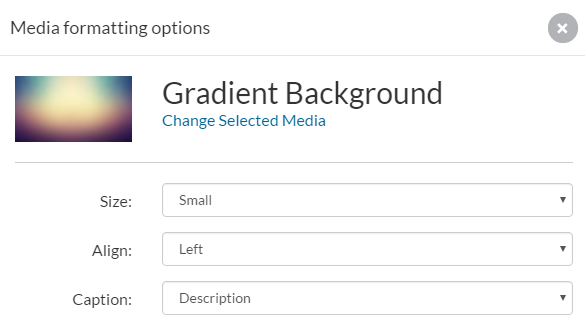
 - Select from the size, alignment and caption preferences in the media reference options.
- Click "Save."

For more details, see Adding Media and Links.
This page has paths:
- QuickStarts Curtis Fletcher