Thanks for your patience during our recent outage at scalar.usc.edu. While Scalar content is loading normally now, saving is still slow, and Scalar's 'additional metadata' features have been disabled, which may interfere with features like timelines and maps that depend on metadata. This also means that saving a page or media item will remove its additional metadata. If this occurs, you can use the 'All versions' link at the bottom of the page to restore the earlier version. We are continuing to troubleshoot, and will provide further updates as needed. Note that this only affects Scalar projects at scalar.usc.edu, and not those hosted elsewhere.
Scalar 2 User's GuideMain MenuGetting StartedExplains account and book creation, and some interface basics.QuickStartsA path of all QuickStart content in this user's guide.Working with MediaHow to get the most out of your use of media in Scalar.Working with ContentCreating and editing content in Scalar.Working with WidgetsWorking with StructureHow to use Scalar's many options for structuring publications.Editorial WorkflowHow to use features for performing editorial review of content.VisualizationsExploring the contents of a book visually.LensesAn introduction to lenses, a tool for searching and visualizing Scalar content.Advanced TopicsDescribing Scalar's more advanced features.Third Party Plugins and Platforms
New Focus on Media
12015-08-07T21:08:56-07:00Curtis Fletcher3225f3b99ebb95ebd811595627293f68f680673e329614Scalar 2.0: What's Newplain2015-08-08T20:20:39-07:00Curtis Fletcher3225f3b99ebb95ebd811595627293f68f680673eScalar 2.0 gives authors more options when adding media to pages in their projects. The "media views" (i.e. "Text emphasis," "Media emphasis," etc...) featured in the old interface have been replaced with more granular options for authors to choose from when displaying media. What's more, these options, unlike in the old interface, can also be applied to inline media.
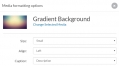
Authors now have the following choices when adding individual media objects to a page.
They can choose the size of the object to be displayed. Choices include “Small” (206px wide), “Medium” (412px wide), “Large” (620px wide), “Full” (maximum wide of the page), and “Native” (the original size of the media up to the maximum width of the page).
They can choose how they want the media object aligned on the page. Choices include "Left" (aligned left), "Center" (aligned center), and "Right" (aligned right).
Finally, authors can dictate what they'd like to appear in the caption just below the media object. Choices include "Description" (only the description for the media object will be displayed), "Title" (only the title of the media object will be displayed), "Title and description" (the title and description for the media object will be displayed), and "None" (neither title nor description will be displayed).
Details and Citations View
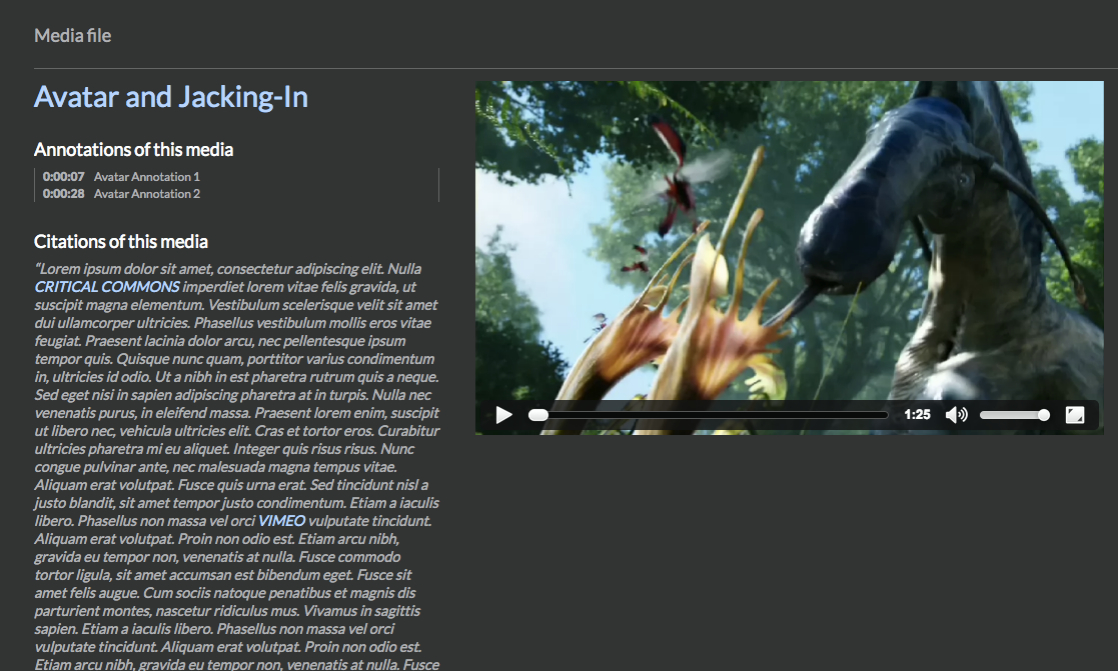
The new interface was also engineered to foreground detailed information about media objects included in Scalar projects. Rolling over media now reveals, for readers, a series of options, among them, "Details," and "Citations." Clicking on "Details" reveals all metadata associated with the object. Clicking on "Citations," opens an expanded view of media. This "Citations view," acts as kind of contextual hub for individual media objects, gathering up and revealing all uses to which it has been put throughout the book. All annotations made to the media can be accessed from within the "Citations view." All uses, or citations, of the media object, along with the full paragraph in which the media is cited are also listed. If the details view gives readers a fuller sense of the metadata record associated with a given media object (often imported directly from a curatorial context) the "Citations view" gives readers the fullest sense of how that media object is then put to use by the author or authors of a Scalar project.