Sharing
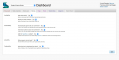
Availability. To make your book's URL accessible without a login (and thus crawlable by search engines), set "Make URL public?" to Yes. To make your book accessible in Scalar's Index page, set "Display in Scalar indexes?" to Yes.
Joinability. Setting joinability to "Yes" will allow other Scalar account holders to ask permission to become an author on your book. An email will be sent to you when a user requests book authorship.
Duplicability. Selecting "Yes" will allow you and others to duplicate your book in its entirety. To duplicate your book select "Yes" here and then go to the My account tab in your dashboard and locate "Duplicate a book" just under "Create new book."
This page has paths:
- Getting to Know the Dashboard Curtis Fletcher