Scalar's 'additional metadata' features have been disabled on this install. Learn more.
TEI Text Encoding: A FairCopy User Guide for COVEMain MenuGetting StartedDownload, Setup, and LoginNavigating the FairCopy InterfaceLocal/Remote Screens and Checking Out ResourcesImporting Text to FairCopyImport MethodsStart Encoding TextText Encoding IndexMonica Wolfe258808f5fb9e497e04f66e6176400bcc2422e128
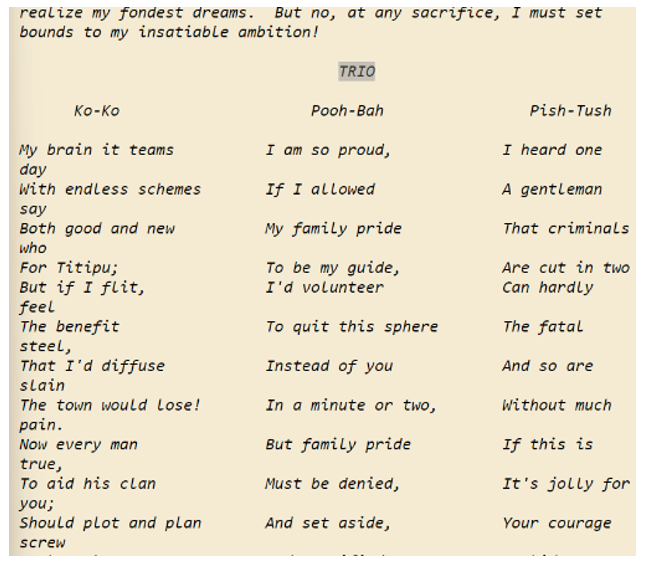
1media/9.jpeg2024-11-03T10:35:12-08:00Creating Columns of Text6plain2024-11-03T15:02:41-08:00Some texts, particularly dramas, require text to be presented in side-by-side columns, as shown in this example:
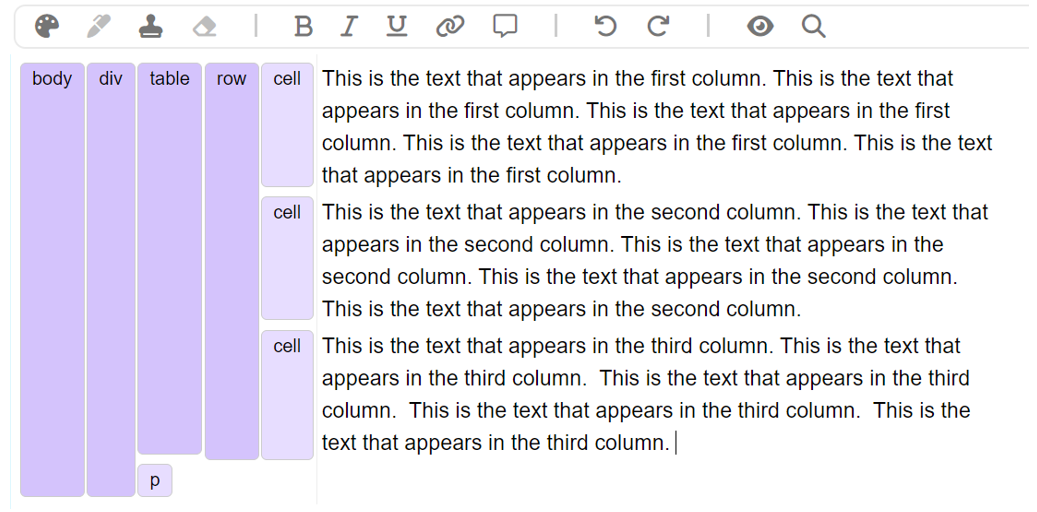
To encode this text, use a table with three cells in one row, as shown in this example in the FairCopy editing interface:
Then, modify the table and cell elements with the rend value “style700” to remove the borders that typically appear on a table.
The "style700" rend value must be added to the table element and each cell element to remove all borders.
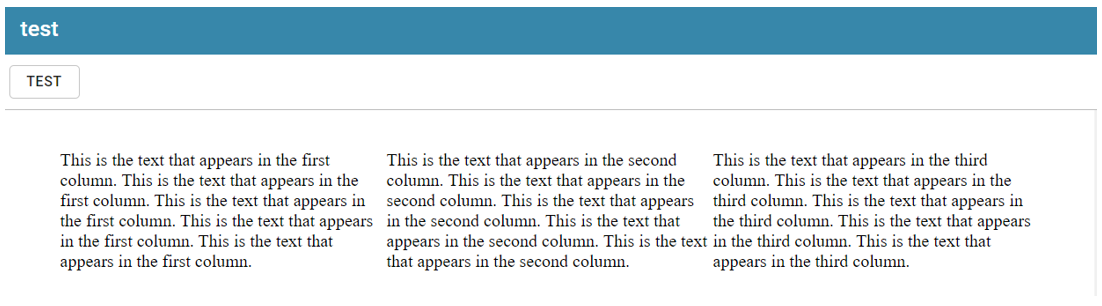
The result should appear like this in the Preview: