Thanks for your patience during our recent outage at scalar.usc.edu. While Scalar content is loading normally now, saving is still slow, and Scalar's 'additional metadata' features have been disabled, which may interfere with features like timelines and maps that depend on metadata. This also means that saving a page or media item will remove its additional metadata. If this occurs, you can use the 'All versions' link at the bottom of the page to restore the earlier version. We are continuing to troubleshoot, and will provide further updates as needed. Note that this only affects Scalar projects at scalar.usc.edu, and not those hosted elsewhere.
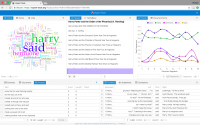
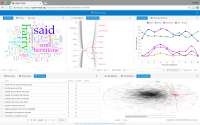
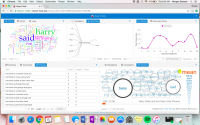
12018-02-28T04:00:25-08:00Morgan Seelinger Garland5bca254da3b379a8489915b7f9aabd9e6b9151672780110plain2018-03-19T19:47:35-07:00Morgan Seelinger Garland5bca254da3b379a8489915b7f9aabd9e6b915167 This is a text analysis of a PDF file of J.K Rowling's book "Harry Potter and the Order of the Phoenix". The text analysis was completed by using the text analysis tool, Voyant which is an open source, web-based reading and analysis tool that has been created for digital text. Through Voyant, there are a multitude of different tools that can be used to create a text analysis that best suits you and your research. There are five categories of different tools that can be used through this source. The different categories are corpus tools, document tools, visualization tools, grid tools, and an option for other tools. Through these multiple categories, it is almost certain that the researcher will be able to find a tool that works best for their research. Most of the tools I chose to highlight come from the "visualization" category. The Cirrus feature creates a word cloud visualization that allows you to see the the words used most frequently throughout the document. The larger the word, the more times it has been used in the text. If you move your cursor over a specific word, you can see a word count of exactly how many times that word was used in the document. The Reader feature allows you to see the entire document being used. You can click on a specific word and that word is highlighted throughout the whole text to allow the researcher to see where all the word is being used throughout the text. Word Tree and Tech Arc are both great tools that can be used to see the correlation between words in the text. The Word Tree allows you to click though frequently used words and see words that were frequently used in correlation with specific words of choice. Tech Arc creates a visual that allows you to search through the words used in the documents in order to gain a visual of how they were used throughout the text and allows you to see how specific words correlate with other words from the text.