Scalar's 'additional metadata' features have been disabled on this install. Learn more.
How to Use Scalar: Digital Publishing for Libraries, Archives, and MuseumsMain MenuAbout This ProjectAbout the creators and purpose of this projectWhat Is Scalar?A brief introduction to what Scalar can do as a platform.Scalar in Libraries, Archives, and MuseumsWhy Scalar is a relevant tool for librarians and other information professionals to learn.How to Use ScalarStep-by-step instructions for creating your first Scalar book.More ResourcesAnnotated list of resources with more information on using SclarPaige Szmodisc78c538ae17b32016e9167236f1aa8c213efc288Elizabeth Swihart2a47b61d624c2ba01890fc87ecc1d0c25d5107a3Shenwei Chang5f647018e81e72f2978f28d4dfbea5d53d6dd876
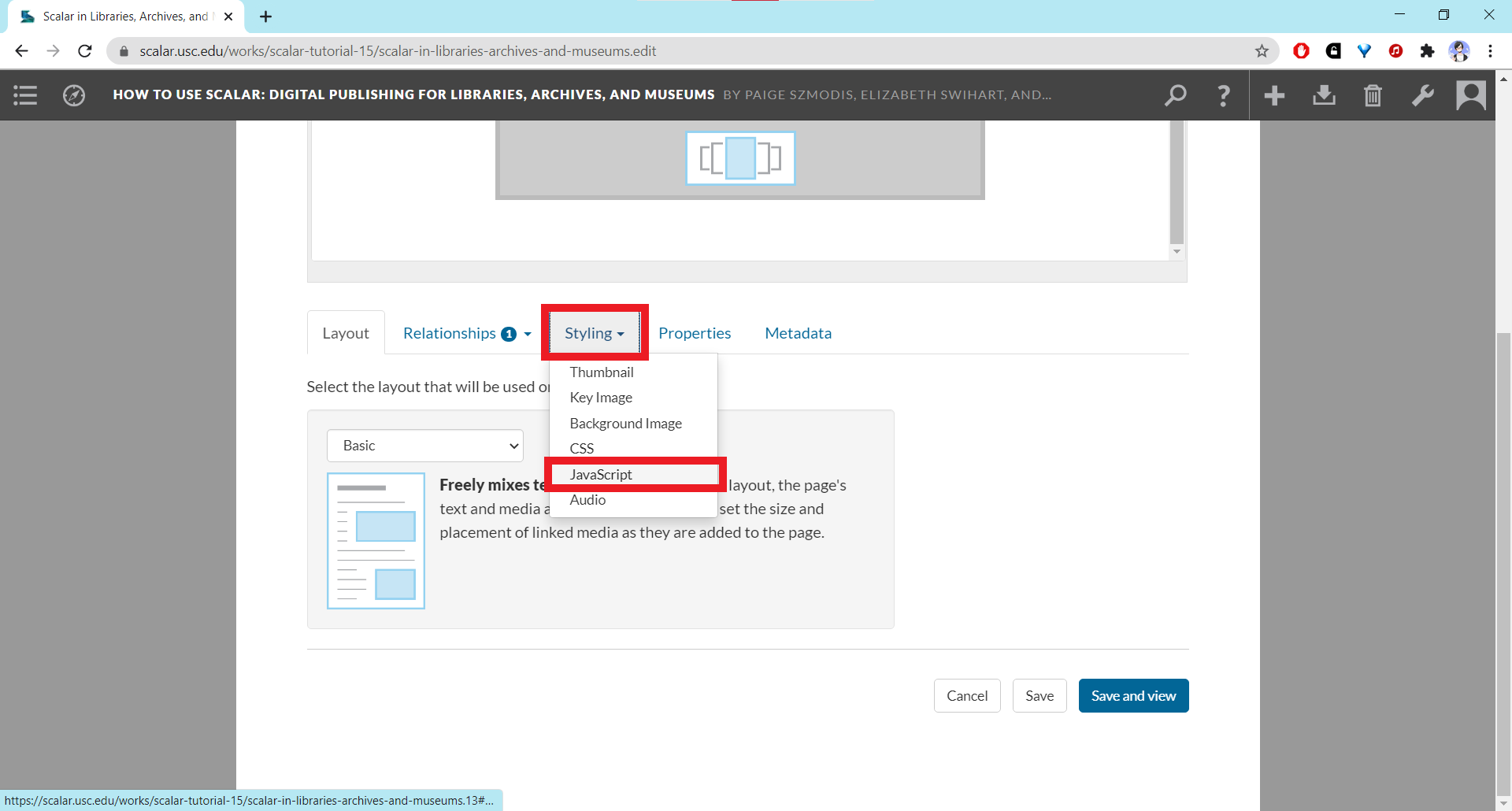
Screenshot of JavaScript code field on dashboard
1media/Screenshot showing JavaScript code field on the dashboard_thumb.png2021-03-20T19:52:58-07:00Shenwei Chang5f647018e81e72f2978f28d4dfbea5d53d6dd876387791Screenshot showing Javascript code field under the Styling tab on the dashboardplain2021-03-20T19:52:58-07:00Shenwei Chang5f647018e81e72f2978f28d4dfbea5d53d6dd876
12021-03-18T02:38:16-07:00Using JavaScript8How to use JavaScript to customize your bookplain2021-03-21T08:17:29-07:00JavaScript can be used to add certain features or elements that are usually hidden on a page or not displayed, among other things.
Page-Specific JavaScript
To add JavaScript customization to a page, click the pencil icon to open the editor, go to the Styling tab in the editor page, and select the JavaScript option. This should refresh the page with a JavaScript code field.
Type or paste any JavaScript code into the field.
Click one of the "Save" buttons at the bottom.
JavaScript for the Entire Book
To add JavaScript that will apply to the entire book, go to the dashboard, click on the Styling tab, and scroll down to the JavaScript code input field. Follow steps 2-3 from the Page-Specific JavaScript tutorial above.
Adding bylines
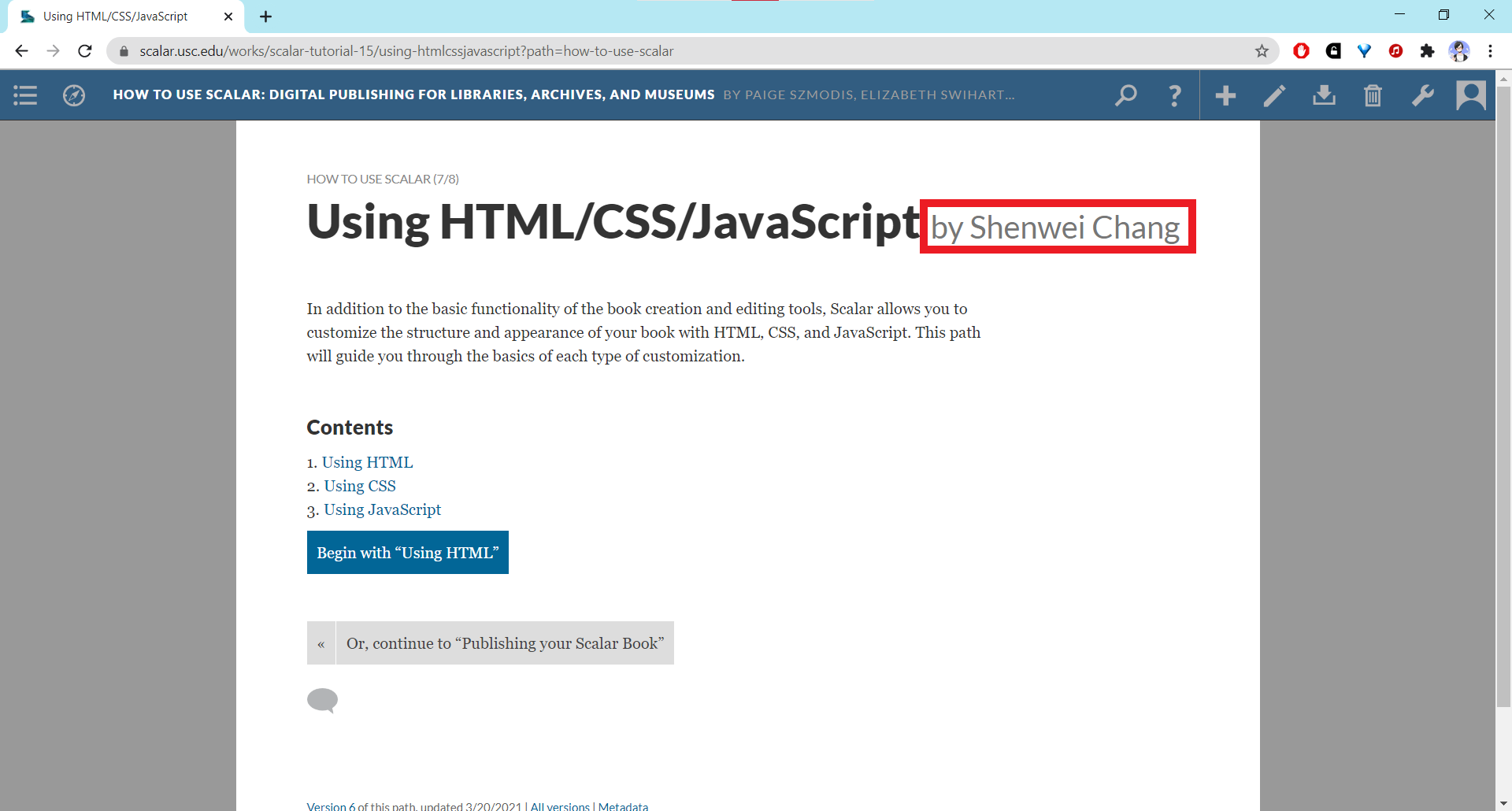
If you want to insert an individual byline for a particular page, you can use the code snippet provided by the Scalar 2 User's Guide: $(document).ready(function() { var author = $('header span[resource="'+location.protocol+'//'+location.host+location.pathname+'"]').next().find('[property="foaf:name"]').text(); $('h1:first').append(' by '+author+''); }); Below you can see where the byline should appear. The name displayed will be that of the user who added the page to the book.If the person who created the content of the page is different from the person who added the page, you can use the following code-snippet instead: $(document).ready(function() { $('h1:first').append(' by FirstName LastName'); }); Substitute the person's name where it says "FirstName LastName." For more information about using JavaScript, consult the Advanced Topics chapter of the Scalar 2 User's Guide.