12016-03-16T10:56:21-07:00Editing: Polish6plain2016-03-16T11:07:41-07:00Polish is used to modify and regularize the mesh surface.
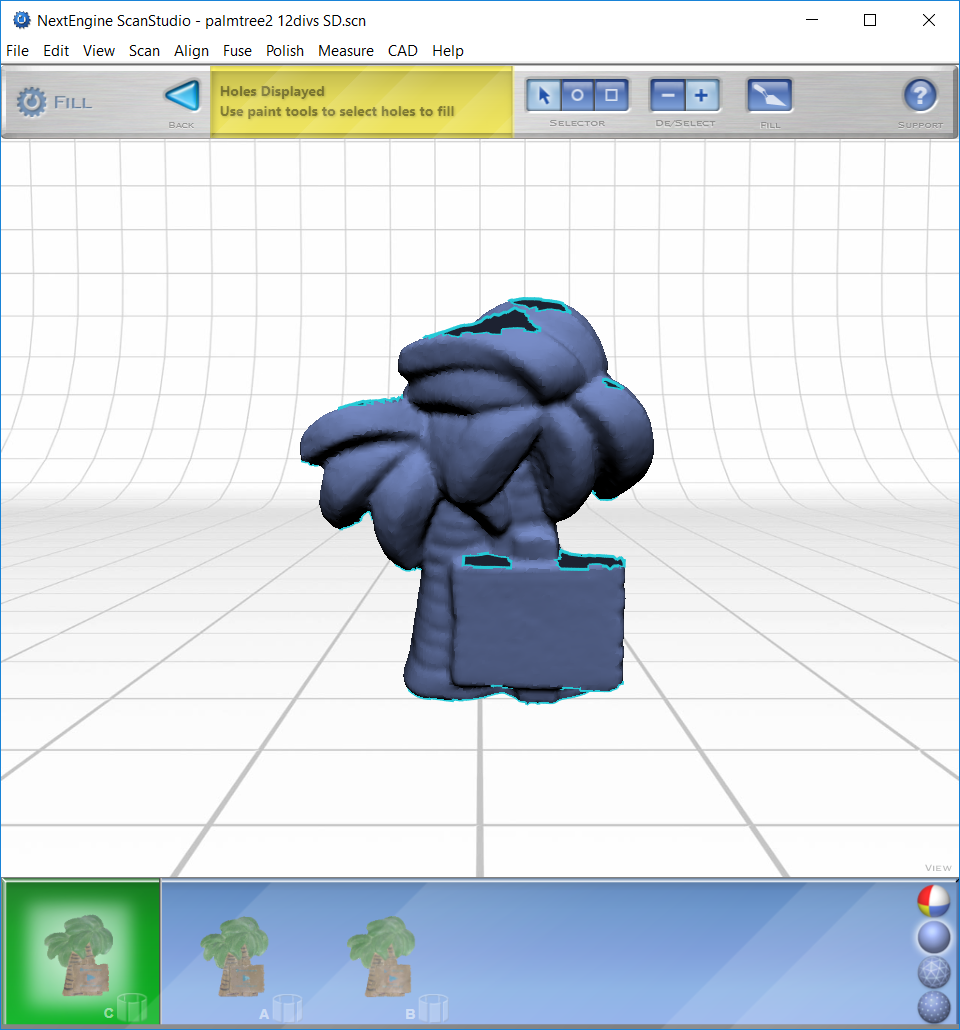
Fill: the most useful tool for creating a regularized and complete scan
Make sure to align and fuse scans before using fill
Select fill, the software will locate and highlight any holes in the mesh scan
The “shaded” view will best show the holes.
Use the selector tool to choose holes and select “fill” when ready
Select “back” to save changes and return to main menu
Buff: smooths the surface of your scan
Most useful if your scan is highly irregular compared to your real object (most scans do not usually require this tool)
It is best to buff a surface that is all the same color
This tool is not necessary for all scans
Once you select an area to buff and click “Buff” a menu will appear
The less you move the slider under Buff Weight, the more of the original scan that will be preserved (it is suggested to use the “less smooth” setting at first)
When ready, select “Buff”
Simplify: reduces the number of capture points to create a simpler data pattern
Best to use when you have a surface that is flat and very regular with no distinguishing features
However, not a very important tool when dealing with complex objects